Getting top-level results from AI typically relies on the instructions you are giving it. That is why you are seeing more and more prompt libraries and community-based assistants exclusively offered for marketers, writers, students, and developers. FlowGPT AI is one such tool. It allows a broad community to share AI applications and AI prompts and allows users to try them on their own. Irrespective of whether you need a ready-to-use prompt for a work task or an AI character for a story, the platform provides you one place to browse them and test them.
In this guide, we will study what this platform is, its key features, who can utilize it, and the main points that are worth keeping in mind before you sign up.
What Is FlowGPT AI?
FlowGPT AI is referred to as the open solution for AI apps, created around a community of app builders and prompt creators. It can be defined as a character and prompt store. Instead of starting to use AI from scratch with a blank chat box, you can explore a library of ready-made prompts organized by topic and choose one that aligns with your task.
Prompts are segmented into categories like creative, character, programming, and academic. Since the library is community-built, every prompt represents the creator’s approach, so style and quality change from one prompt to the next. The platform is also not a single AI model. The result you get relies on the prompt you are selecting, and the model it operates on.
This brings up a more pertinent question: which model suits your task best? For that, we suggest referring to our guide on Claude vs ChatGPT.
Main Characteristics of FlowGPT AI
Let us check out the main features of FlowGPT AI:
- Prompt Discovery: Users can browse through category, including Academic, Job Hunting, Programming, Business, Image Generator, Marketing, Productivity, Prompt Generator, and AI tools.
- Scenario and Character Chats: Tags like Game, Anime, Classroom, Fantasy, and Scenario indicate support for character-based conversations.
- Publishing and Sharing: Creators have the option to post their own apps and prompts that others can use.
- Community Spaces: The site navigation involves Bounty, Leaderboard, and Mentorship section, and the homepage links to a Discord server.
- Listed capabilities: Autofill, templates, image generation, code interpreter, and auto saving.
For most users, the main advantage of FlowGPT AI is the speed. A verified community prompt can reduce the trial-and-error stage that comes with writing down each instruction from basics.
Who Can Use FlowGPT AI?
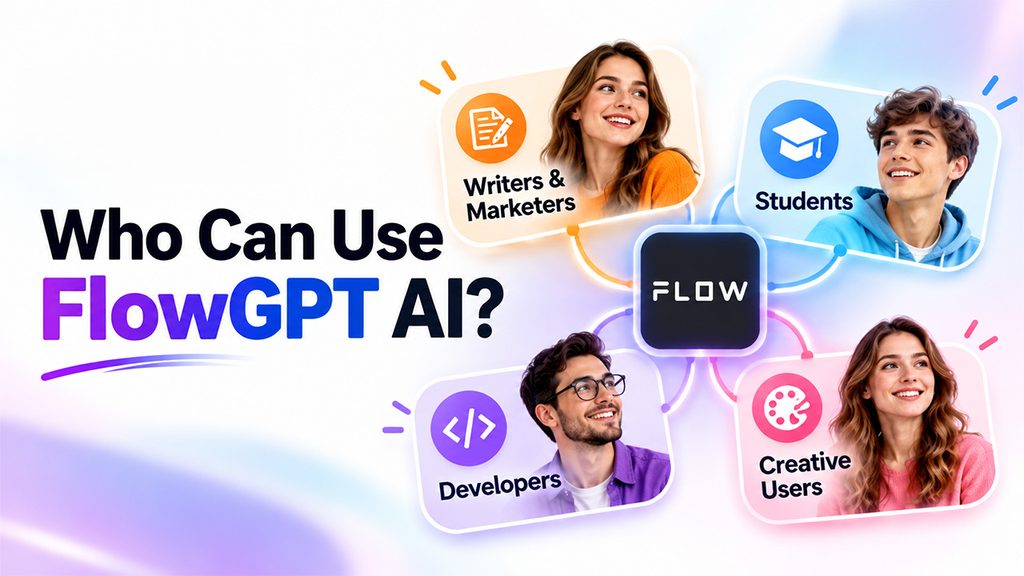
The platform is general-purpose, so different groups utilize it distinctly:
- Writers and Marketers: The Business and Marketing categories provide prompts for generating ideas and drafting. Techjockey also lists marketing materials and blog posts among the text generation uses of the platform.
- Students: The Academic category collects prompts for learning and study tasks.
- Developers: The Programming category encompasses prompts related to coding.
- Creative Users: Story, character, and scenario categories help fiction and roleplay. Developer page on FlowGPT on Google Play also lists story-based apps like Branches: Stories Never End and Tickle: Infinite Tales.
Character-driven chat is a space for different players. Janitor AI is yet another popular platform created around custom AI characters, and this detailed guide to what Janitor AI is and how it works is a helpful reference for readers who wish to compare the two platforms.
Before You Rely on FlowGPT AI for Work
FlowGPT is a community-based prompt platform, which changes how users should approach it. Before making it part of your regular workflow, consider these important points:
It Is Created for Exploration, Not Guaranteed Accuracy
-Prompts on FlowGPT are written and shared by individual users, so quality can vary significantly from one prompt to another. A prompt that produces useful brainstorming ideas may generate inaccurate or weak results for technical writing, research, or client-based work. Always fact-check information before publishing or sharing it. If you want to explore custom chatbot creation, learning How to Create Bots Using ChatGPT? can also help you understand a different approach to building AI-powered assistants.
Treat Every Prompt as a Public Space
Since conversations and prompts on community platforms may be visible to others, avoid entering confidential client data, business plans, personal details, or financial information. If your task involves sensitive material, choose a tool with clear privacy controls.
Check Whether the Content Suits Your Environment
The platform hosts user-generated content, and Google Play lists a 17+ maturity rating. Review the content that appears in your feed before using FlowGPT on a shared device or in an office or school setting.
Confirm Pricing on the Official Website
Plans and membership options can change, so check FlowGPT’s official website to confirm which features are free and which require payment before making it part of your workflow.
Match the Tool to the Task
FlowGPT works well for discovering prompt ideas, exploring creative approaches, and experimenting with different AI personas. However, for consistent everyday tasks such as research, drafting, customer communication, and summarizing, a dedicated AI assistant with clear data policies may be a better fit. This guide to best AI chatbot alternatives for work and productivity compares tools designed for these purposes.
Conclusion :
FlowGPT AI provides users with a community-based space to find, share, and publish AI apps and prompts. Its category structure makes sure that browsing is straightforward, and its range encompasses professional topics like programming and marketing as well as stories and creative chats.
For the right results, start with work-focused categories, test your prompts on small tasks, and validate each output. Businesses looking to centralize AI into consistent processes can also explore this guide on how to implement AI in your business.