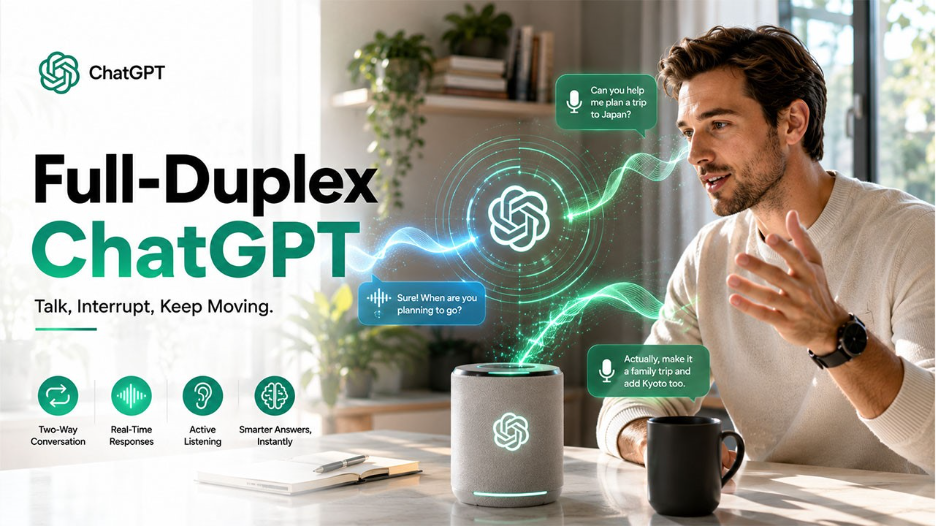
OpenAI expanded its ChatGPT Voice, launched earlier this month, to Windows and macOS desktop applications.With artificial intelligence moving beyond keyboards and screens, the process of interacting with AI is also transforming from typing questions to seamless conversations. The latest evolution of ChatGPT voice aims to make conversations with AI models feel more natural.
With this development, instead of simply converting speech into text and generating spoken responses, GPT-Live mainly focuses on real-time communication that allows users to have a smoother and more humanized conversation with the platform.
Understanding ChatGPT Voice
ChatGPT Voice is a feature that allows users to communicate with ChatGPT using simple spoken conversations, instead of typing queries. With the feature, users can speak to ChatGPT, hear spoken replies, ask follow-up questions, interrupt responses, and continue the conversation in a more human-like manner.
The ChatGPT Voice experience is powered by GPT-Live of OpenAI, which is designed to make the conversation with the platform feel more natural, responsive, and interactive. With ChatGPT Voice, the platform aims to replicate the natural communication style of humans, instead of treating every interaction as a separate turn.
What Features Are Introduced in the Latest ChatGPT Voice Update?
In the latest update of ChatGPT Voice, OpenAI introduced a few major improvements, especially how people interact with AI. The update focuses on making voice conversation more natural, responsive, and useful for everyday tasks.
Some of the major features introduced in the new update are as follows:
Full-Duplex Voice Conversations
The biggest change that the new update introduced is the move from traditional turn-by-turn voice interaction to a full-duplex conversational experience. Earlier voice assistants worked as follows:
User speaks → AI waits → AI processes → AI responds
This led to delays and awkward conversations, as the AI had to wait until it detected that the user had finished speaking. The latest update allows conversations to flow more naturally.
More Natural Turn-Taking
A major challenge to voice AI is understanding conversational timing. The latest GPT-Live architecture improves the issue by making the platform decide when to speak, when to continue listening, when to pause, and when an interruption is appropriate. This reduces situations where AI responds quickly.
Active Listening Responses
The updated ChatGPT Voice uses short conversational acknowledgements, such as:
- “Mm-hmm”
- “Yeah”
- “Got it”
This makes the interaction feel more like real dialogue.
Smarter Answers Through Advanced AI Models
The latest ChatGPT voice updates also improve the intelligence of the platform. GPT-Live can also handle normal conversations directly, but in case the task requires deeper reasoning, web searches, or complex analysis, it can also use more advanced models in the background to bring the answer back to the conversation.
Improved Desktop Voice Experience
The update expands ChatGPT voice beyond mobile devices. The update brings the new GPT-Live-powered ChatGPT Voice to desktop applications. This makes voice interaction on desktop devices more useful for professional workflows.
The Role of Advanced Models Behind Voice
The improved voice experience depends on the intelligence of the underlying AI models. Modern AI systems have to understand context, maintain conversations, and decide how to respond appropriately.
The latest GPT-Live architecture of OpenAI combines voice capabilities with advanced reasoning systems, allowing conversations to go beyond simple answers. When a request requires deeper analysis or additional capabilities, the system can use more powerful models and tools while maintaining the conversational flow.
Challenges Still Remain
Although conversational AI has improved dramatically, creating truly natural interaction remains difficult. Human communication includes many subtle signals, such as facial expressions, body language, emotional context, and cultural understanding. Voice alone provides only part of that information.
AI systems can still misunderstand speech, especially in noisy environments or when users speak quickly. Determining when to interrupt and when to remain silent is also a complex challenge.
Conclusion
The update of ChatGPT Voice with GPT-Live on desktop marks an important milestone in the development of conversational artificial intelligence. The update enables more natural and full-duplex conversations, which OpenAI is pushing voice interaction closer to the way humans actually communicate.
For desktop users, this means AI assistance can become more immediate, accessible, and integrated into daily workflows. Whether used for brainstorming, learning, coding, writing, or productivity, voice-based AI has the potential to change how people work with technology.
Frequently Asked Question :
What is GPT-Live?
GPT-Live is the latest voice model of OpenAI that powers ChatGPT Voice. The model is designed to deliver more natural, responsive, and interactive voice conversations.
What are the main features of the latest ChatGPT Voice update?
The latest update includes key features like full-duplex voice conversations, natural turn-taking, active listening acknowledgements, advanced AI reasoning, and an improved desktop voice experience.
Does ChatGPT Voice use advanced AI models?
Yes. ChatGPT Voice uses advanced AI models for complex requests that require deeper reasoning or additional capabilities.
What is active listening in ChatGPT Voice?
he Active listening features of ChatGPT allow the platform to use conversational acknowledgements like “Mm-hmm,” “Yeah,” and “Got it,” creating a more natural dialogue instead of a rigid question-and-answer experience.