
Every SaaS team building AI features eventually hits the same wall: the OpenAI bill. It starts small — a few thousand API calls a month — and then it doesn’t. At Outright Systems, that wall showed up inside GuestPostCRM, our SEO and outreach CRM. Its core job is to read inbound outreach emails and figure out what’s actually happening in them — motive, offer, order status, accept or reject. We ran every one of those classifications through ChatGPT’s API. It worked. It just didn’t scale, and it tied a core piece of our product to someone else’s pricing page.
This post is two things at once: a straight explanation of what open-source LLMs actually are and how self-hosting them works, and the real, numbers-included story of how we used one to move a core piece of GuestPostCRM off ChatGPT.
What Open-Source LLMs Actually Are
Open-source models come in two flavors. Base models know language patterns. Fine-tuned models follow instructions. You need the latter for almost anything useful.
The ecosystem spans from models small enough to run on a phone to ones that need multiple high-end GPUs just to load. Size is deceptive here — a well-tuned 7B model regularly outperforms a poorly configured 70B one on a specific task. Parameters aren’t the whole story; what the model was trained on, and how well it fits your task, matters more.
The appeal of going open-source isn’t philosophical, it’s practical: your data stays on your own infrastructure, your bill becomes a flat server cost instead of a per-token meter that climbs with usage, and AI data centers can provide the dedicated computing infrastructure needed to run and fine-tune models at scale. You can also fine-tune the model on your own examples instead of hoping a general-purpose model generalizes to your problem. The cost is that you own the setup work. That’s the part most guides skip — so here’s exactly what it looked like for us.
ChatGPT API vs. a Self-Hosted, Fine-Tuned Model
Here’s the trade-off in one table — the same one we weighed before committing to this project:
| Factor | ChatGPT API | Self-Hosted Qwen2.5 |
| Cost model | Per-token, scales with volume | Flat server/GPU cost |
| Data privacy | Leaves your infrastructure | Stays on your own servers |
| Customization | Prompt engineering only | Fully fine-tuned on your data |
| Task accuracy | General-purpose guesswork | Trained on your exact categories |
| Setup effort | Minimal — just an API key | Real upfront work (data, training, serving) |
Why We Chose Qwen2.5-7B, Not a Bigger Model
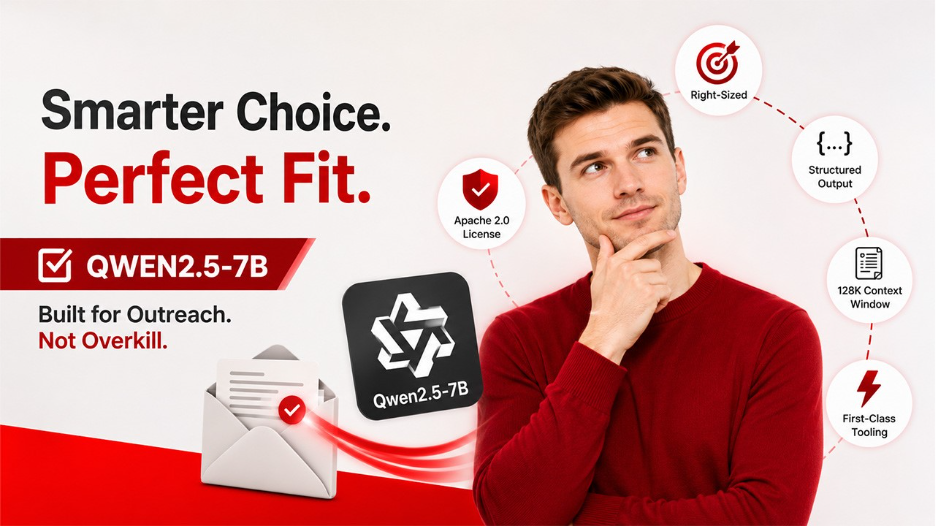
GuestPostCRM doesn’t need a model that writes poetry or debugs Python. It needs a model that’s very good at one narrow, repetitive job: reading an outreach email and tagging its motive, offer, order status, and accept/reject signal. That’s a classification problem with a fixed, learnable pattern — exactly the kind of task where a small, specialized model beats a large general one.
We picked Qwen2.5-7B, Alibaba’s open-weight model, for five concrete reasons:
- Right-sized, not oversized. 7B parameters is enough to catch how a real offer or rejection is actually phrased, while staying small enough to fine-tune on a single GPU and serve at low latency on our own infrastructure — no GPU cluster required.
- Apache 2.0 license. Qwen2.5 at the 7B size (everything except the 3B and 72B variants) ships under Apache 2.0 — full commercial use, no licensing ambiguity. This was a hard requirement, not a nice-to-have.
- Built for structured output. Qwen2.5 was trained with explicit improvements to instruction-following and JSON generation — which maps directly onto what our pipeline needs: strict, parseable verdicts, not conversational filler.
- 128K context window. Long enough to feed a full email thread, quoted history and all, without truncating the part of the conversation that usually carries the real signal — a soft acceptance buried three replies deep, for example.
- First-class tooling support. Unsloth ships pre-quantized, ready-to-fine-tune Qwen2.5 checkpoints, so there was zero friction between the model we wanted and the framework we’d already chosen.
The Pipeline: From Raw Emails to a Production Model
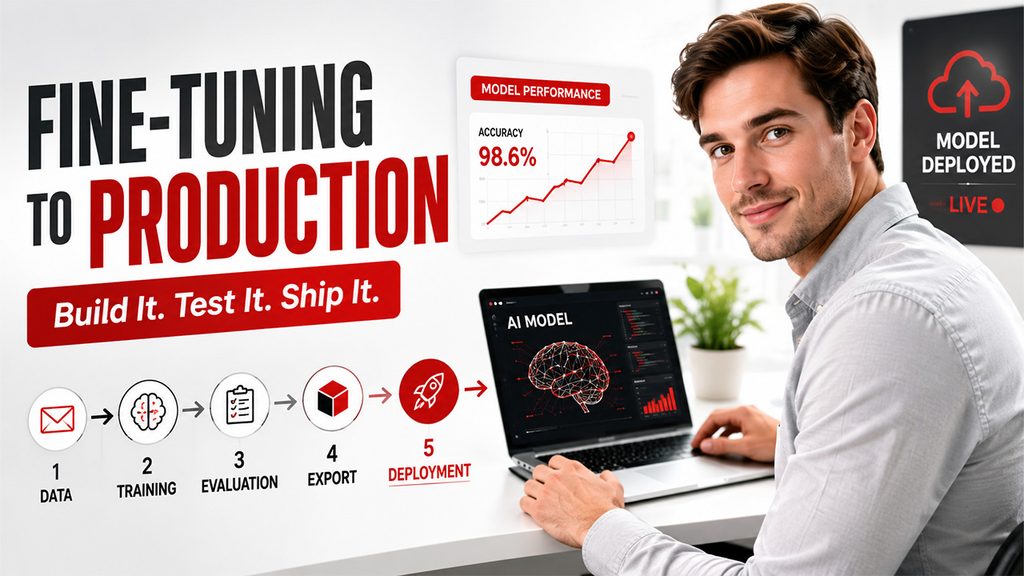
Going from a folder of raw emails to an AI language model running in production isn’t a three-step conversion — it’s five distinct phases, each with its own way to quietly fail. Skip the evaluation phase and you ship a model that scores well on the training data and misreads real emails in production. Skip a deliberate rollout and one bad batch of predictions reaches every customer at once. Here’s the real roadmap:
- Step One — Data: turn years of raw outreach emails, client replies, and old ChatGPT prompt/response pairs into a clean, consistently-labeled dataset, after stripping outliers and normalizing every record to the same schema.
- Step Two — Training: fine-tune Qwen2.5-7B on that dataset using Unsloth and LoRA, on rented Colab/Kaggle A100 GPUs instead of dedicated infrastructure.
- Step Three — Evaluation: test the fine-tuned model against a held-out set, benchmark it head-to-head against the old ChatGPT pipeline, and manually review the cases where the two disagreed before trusting it with real traffic.
- Step Four — Export & Quantization: save the adapters in safetensors, merge them into the base model, and export the result to GGUF — the format a serving tool can actually load.
- Step Five — Deployment: serve the model through Ollama, run it in shadow mode alongside ChatGPT first, then shift live traffic over gradually, category by category, rather than in a single cutover.
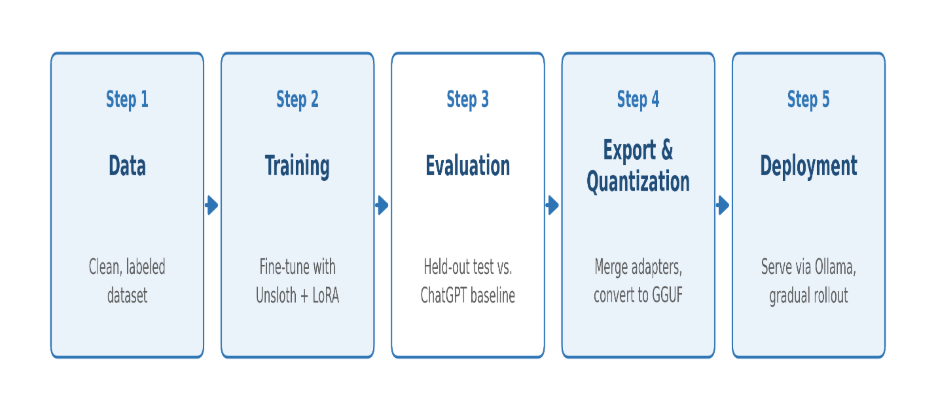
Figure: The five-phase pipeline, from raw email data to a served, production model.
Step One: A Dataset Worth Training On
A fine-tuned model is only as good as what it’s fed. Before a single GPU cycle was spent, the entire first phase of this project was data — pulled from years of GuestPostCRM’s own history, not invented from scratch.
The dataset came from three sources: the client outreach emails themselves, the client replies inside those threads, and the ChatGPT conversations we’d already been having in production.
That third source turned out to be the most useful. Every time our old ChatGPT pipeline classified a real email, it saved a prompt and a response. That pair — what we asked, what ChatGPT answered — was basically a ready-made training example. Instead of labeling years of emails from scratch by hand, we reused these existing prompt/response pairs as our starting data.
We then added CRM metadata on top — timestamps, thread status, and manual corrections our team had made over time — to fix any spots where ChatGPT’s own past answers had gotten it wrong.
Raw email data is messy by default: long threads, quoted replies, forwarded chains, signature blocks, inconsistent formatting across clients. None of it helps a model, and left in, it actively teaches the wrong lessons. So the data went through a real cleanup pass:
- Pulled together the relevant historical email threads, client replies, ChatGPT prompt/response conversations, and their CRM metadata.
- Normalized the schema so every record used the same fields and label format for motive, offer, order status, and accept/reject.
- Stripped outliers — incomplete threads, spam, and labels that didn’t hold up on review.
- Made it fine-tuning ready — every example used the same format, every label was consistent, and every entry was something we’d trust to actually teach the model, not confuse it.
It’s the least exciting part of a project like this, and the one that decides whether everything after it works. A messy dataset produces a messy model — no fine-tuning technique fixes that afterward.
Step Two: Fine-Tuning with Unsloth on Colab & Kaggle (A100)
Training is a short, GPU-heavy burst, not an always-on workload — a different cost profile than production inference. So instead of provisioning dedicated infrastructure, we rented GPU time on Google Colab and Kaggle Notebooks, both running an A100 runtime: 40GB of HBM2 memory, enough headroom to fine-tune a 7B model in 4-bit precision with a reasonable batch size without constantly hitting out-of-memory errors. For Ai Suites, using both platforms rather than picking one made sense — Colab’s pay-as-you-go compute-unit pricing covered longer or repeated runs, while Kaggle’s free weekly GPU quota was useful for shorter experiments, so between the two we rarely had to wait on GPU availability. Either way, a single training run cost a fraction of standing up a dedicated GPU box for the same job.
For the framework, we used Unsloth. The numbers are the reason it won over a plain Hugging Face + PEFT setup:
- ~60–70% less VRAM than vanilla LoRA fine-tuning at the same sequence length and batch size — custom Triton kernels rewrite the attention and MLP layers and fuse operations that are normally separate calls. That’s what made a 7B run comfortable on a single A100 instead of needing multiple GPUs.
- ~2x faster training steps, commonly reported and reproduced by the community versus an equivalent Hugging Face TRL setup — which mattered because both Colab and Kaggle sessions have wall-clock and quota limits, and we wanted room for multiple experiments, not just one shot.
- More memory-efficient gradient checkpointing, which let us keep a longer context window for outreach threads that run long once quoted replies pile up, without truncating aggressively.
- A direct export path to GGUF at the end of training — the single biggest time-saver in the whole run, and the subject of the next section.
The training loop itself is standard LoRA supervised fine-tuning: Unsloth’s FastLanguageModel for loading and quantization, get_peft_model to attach LoRA adapters to the attention and MLP projection layers, and Hugging Face’s SFTTrainer from TRL to run the actual training on our schema-formatted dataset. Gradient checkpointing stayed on throughout — the memory savings mattered more than the modest speed cost. Loss was tracked per step with periodic evaluation against a held-out slice, since the dataset wasn’t huge and overfitting was worth watching closely rather than trusting a fixed epoch count.
Step Three: From Checkpoint to a Deployable Model
A finished training run only gets you LoRA adapter weights sitting on top of a frozen base model — not something a serving tool can load directly. Three steps closed that gap:
1. Save the adapters in safetensors, not the older pickle-based .bin format. Safetensors loads faster and doesn’t execute arbitrary code on deserialization — which matters once files are moving between Colab/Kaggle, storage, and a production VM.
2. Merge the LoRA adapters into the base model, producing a single set of weights that represents the fine-tuned model as a standalone artifact — no separate adapter file, no PEFT dependency at inference time.
3. Export to GGUF — the format llama.cpp, and by extension Ollama, expect. Unsloth handled this conversion directly inside the same notebook, calling into llama.cpp’s tooling under the hood, so there was no separate clone-and-convert step. We quantized to a mid-range precision that keeps inference fast and memory-light without giving up noticeable accuracy on the classification task.
The end result is two artifacts, not one: a merged safetensors model (useful if we ever need to resume fine-tuning or run further evaluation), and a quantized .gguf file — the one that actually gets loaded into Ollama and served in production.
Why Ollama for serving: once a model is in GGUF format, Ollama loads it and exposes it as an inference endpoint in minutes — no hand-rolled model server. It’s the reason most small teams self-hosting a fine-tuned model reach for Ollama first, and only move to something like vLLM later if they need to serve high-concurrency traffic across a team rather than a single internal pipeline.
The Result So Far
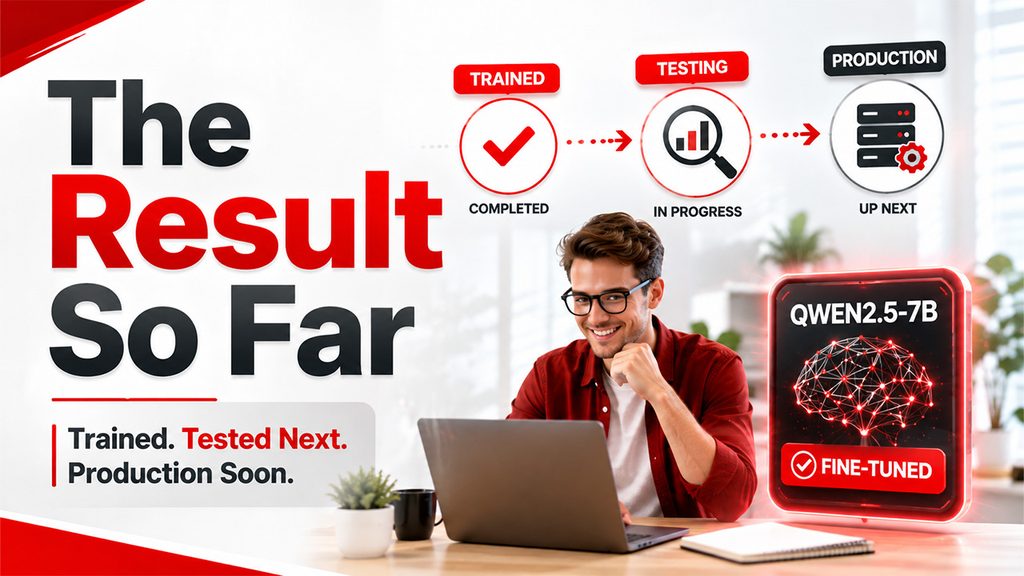
The fine-tuning and model preparation for GuestPostCRM’s classification workflow have been completed successfully. The Qwen2.5-7B model has been fine-tuned on our prepared dataset, and the trained model checkpoint has been generated successfully. The model has also been converted into GGUF format and is ready to be served through Ollama.
At present, the trained model and inference workflow are in the testing and validation phase. The testing team is evaluating the model’s performance and classification results against the expected outputs. The deployment has not yet been finalized, as the model will be moved to production only after the testing phase is completed and the testing team provides the required validation and approval.
Once the testing is successfully completed, the model will be deployed for production use. This approach allows us to validate the model’s performance before introducing it into the live GuestPostCRM workflow.
Future Scope

The current implementation provides the foundation for moving GuestPostCRM toward a self-hosted and scalable AI infrastructure. Once the current model completes testing and is deployed successfully, the next phase will focus on expanding the capabilities and scalability of the AI system.
Future work will include:
1. Production Deployment — Deploy the validated fine-tuned Qwen2.5 model into the live GuestPostCRM workflow after successful testing and approval.
2. Performance Monitoring — Monitor model accuracy, response quality, latency, and resource usage after deployment to identify areas for further improvement.
3. Continuous Model Improvement — Use newly generated and reviewed data to periodically fine-tune and improve the model as real-world requirements evolve.
4. Expansion to Other AI Tasks — Extend the self-hosted AI approach beyond text classification to capabilities such as OCR, embeddings, RAG, AI agents, analytics, image generation, and other AI workflows.
5. Universal AI Gateway — Build a shared AI Gateway that can serve multiple Outright Systems products and automatically route each request to the most suitable model based on the required capability.
6.Multi-Product Integration — Extend the AI infrastructure to other products such as OutrightCRM, SocialCRM, TaskManagerCRM, and HRCRM.ai, reducing the need for each product to maintain separate AI integrations.
The long-term goal is to establish a reusable AI infrastructure where different products can access specialized self-hosted models through a common gateway, making the overall system more scalable, cost-efficient, and easier to maintain.
What’s Next: A Universal AI Gateway
GuestPostCRM was the proving ground, not the destination. Outright Systems runs multiple products — GuestPostCRM, OutrightCRM, SocialCRM, TaskManagerCRM, and HRCRM.ai — and right now AI capability lives inside whichever product needed it first. That doesn’t scale as more products want AI features.
The architecture we’re building toward is a Universal AI Gateway: one shared layer every product calls into, instead of each one wiring up its own model integrations from scratch.
How it’s meant to flow:
- Users → interact with any CRM Application in the Outright Systems ecosystem.
- CRM Applications → send requests to the Universal AI Gateway instead of calling a model provider directly.
- The Gateway → auto-selects the right model for the job — Chat, Vision, OCR, Image Gen, Video Gen, Speech, Embeddings, Vector DB, Memory, RAG, AI Agents, Workflow Engine, or Analytics.
The core idea is auto-selection — instead of hardcoding “use this model for this task,” the gateway looks at the type of work being requested and routes it to the best available model for that job. Today that’s our fine-tuned Qwen2.5 for text classification. Tomorrow it might be a different open-source model for OCR, and a different one again for image generation. Products won’t need to know which model is doing the work — they’ll just ask the gateway for a capability.
The Bigger Takeaway
The move from “call ChatGPT” to “fine-tune, host, and serve our own model” wasn’t just a cost-cutting exercise — it was a shift in how we think about AI in our stack. Instead of treating large language models as an external utility billed per token, we’re treating them as infrastructure we own, train, and improve over time, the same way we’d own a database or a queue. GuestPostCRM’s classification pipeline is where that shift is playing out first, one workflow at a time. The Universal AI Gateway is where it scales up.