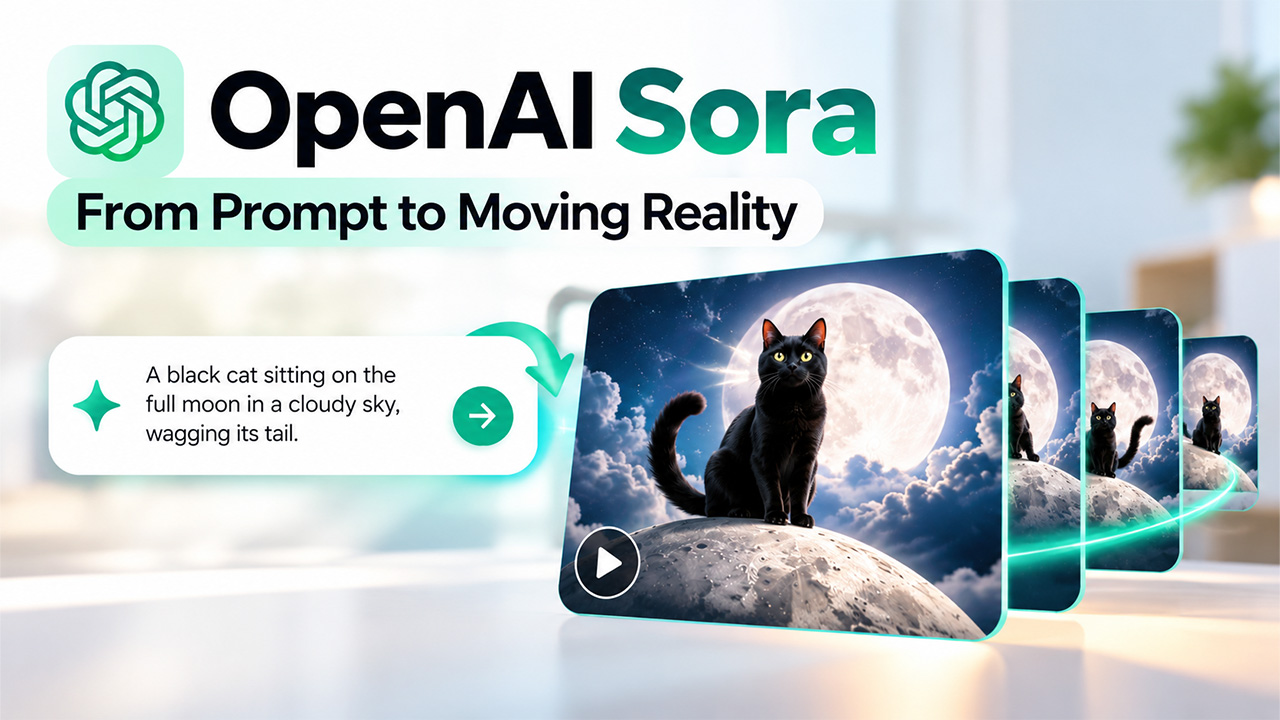
Suppose a student types a line: “a black cat sitting on the full Moon in a dark cloudy sky, wagging its tail.” A few minutes later, a short video starts playing. The Moon shines brightly in the sky, a cool breeze gushing slowly, and the black cat is sitting on the Moon. That’s what OpenAI Sora promised, and for a while it did feel like magic. Then comes the twist. The tool is gone. OpenAI closed it in 2026. And if that’s the case, why read a guide about it? To know what Sora did, how it did, and where it stumbles still shapes every AI video tool that you’ll try next.
What Is OpenAI Sora?
OpenAI Sora was an advanced AI model that used to convert written descriptions into videos. You typed what you wanted to see, and it made a clip to match the text. OpenAI first showed it in February 2024. It then launched as a standalone product for ChatGPT Plus and Pro users only. Next came Sora 2 on September 30, 2025, with synced audio and more realistic movement.
It was like a fast, very literal film crew that works from a single sentence and never needs a camera, actors, or a set. It could also work from a photo or an existing clip.
How to Access OpenAI Sora
Let’s see how the original route worked. It’s closed now, but it shows how simple OpenAI tried to make it.
- Sign in with a ChatGPT account on the Sora website or app. Access was tied to a paid plan.
- Type a prompt that describes your scene. Specific details like place, mood, and camera angle helped a lot.
- Choose your settings, such as clip length and the shape of the frame.
- Press generate and wait a short while.
- Watch the result and, if needed, adjust your prompt. Then, download the version you liked.
These steps don’t work today. The Sora web and app experiences were discontinued on April 26, 2026, and the API was scheduled to end on September 24, 2026. However, if you made any videos there, OpenAI offered an export option, and announced that it would permanently delete unexported data afterward.
How Does OpenAI Sora Work
There is no need for any technical degree or expertise to get the basic idea. Here’s the process in plain steps.
- Starts With Static: Imagine the fuzzy snow on an old TV. Sora began with a screen of random dots and slowly sharpened them into a picture, one small step at a time.
- Reads Text Prompt: The model works out who or what is in the scene, where it takes place, and what’s happening. Clearer prompts gave clearer videos.
- Breaks Videos into Spatiotemporal Patches: Think of puzzle pieces that hold both a bit of picture and a bit of time. This lets Sora handle clips of different sizes and lengths.
- Generates Consistent Frames Across a Video: Because it sees the whole clip at once, a character who walks out of view could still look the same when they come back.
- Learns Motion from Video Training Data: By studying countless examples, it picked up how things usually move, fall, and bounce.
Key Features of OpenAI Sora
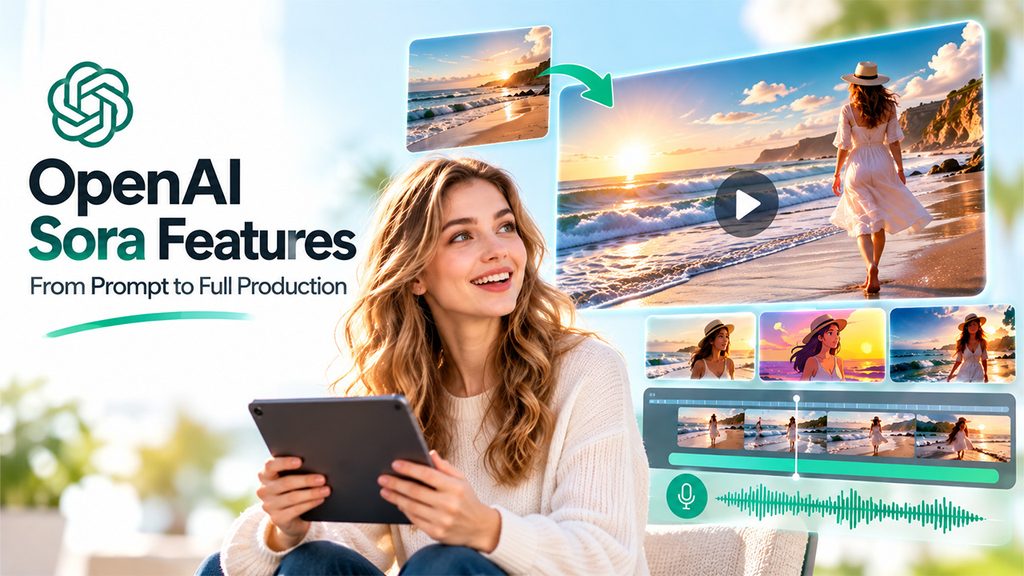
Sora had more than a plain text box to offer. Here’s what set it apart from other AI-powered tools:
Text-to-Video: You describe a scene that you want to see, and Sora builds it. A single, detailed sentence can be turned into a full clip.
Image-to-Video: You can upload a still photo, and Sora can bring it to life. For instance, a still picture of a beach can show moving waves.
Tools like the Kling AI video generator also turn prompts and photos into clips.
Video Extension and Editing: You can shorten the length of the clip or change some parts of it without starting from scratch. This saves time when the video is nearly right.
Video Style & Creative Control: Sora offered various styles, from realistic films to cartoons. You could pick the mood through your prompt.
Synchronized Audio and Speech in Sora 2: Sora’s later versions added additional capabilities like speech and sound effects that matched the picture. That way, the videos felt more complete.
OpenAI Sora vs. Sora 2: Key Differences Explained
The table below highlights the key differences between OpenAI Sora and Sora 2, from launch dates and audio capabilities to video realism and availability.
| Feature | Original Sora | Sora 2 |
| Launch | Previewed in 2024, public in December 2024 | September 2025 |
| Audio | Video only | Synced sound and speech |
| Movement | Often looked unnatural | More realistic physics |
| Where to use it | Sora website | Sora app and website |
Practical Applications of OpenAI Sora
Even though it was available for a short time, people found real uses for it:
- Marketing & Promotional Videos: A small bakery shop owner can make a short product video to post on social media without having to pay for a full crew.
- Film Storyboarding and Previsualization: Directors could sketch scenes as moving pictures before spending money on a shoot. It made early planning faster and cheaper. Google Flow storyboard studio now covers this kind of planning.
- Educational Videos and Classroom Lessons: A teacher can show how a volcano erupts, or a plant grows from a seed in seconds. This makes it easier to explain concepts or ideas, so students understand them better.
- Social Media Video Creation: It is especially helpful to creators who need quick, eye-catching clips to post online. Moreover, Sora 2 added fancy social features so people could share what they made.
- Design Concepts and Visual Prototyping: Designers can turn a rough concept into a moving preview. It helps them decide what is worth building.
Limitations of OpenAI Sora
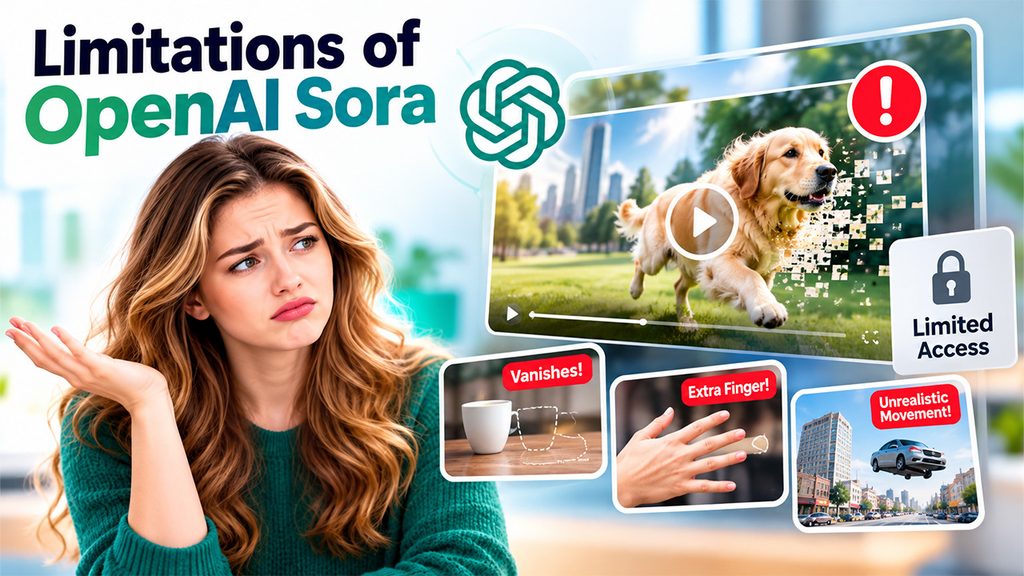
Sora wasn’t without its challenges. It impressed people; however, it wasn’t perfect.
Inconsistent Physics and Object Movement: Sometimes, objects move in an unusual way that didn’t make any sense. For instance, a cup might vanish mid-scene, or a hand might grow an extra finger.
High Computing Costs: Making videos requires far more energy and money. That’s why it was only available to Plus and Pro users as it was hard to offer it to everyone at low cost.
Deepfakes and AI Video Safety Concerns: Sora can be used to make realistic clips to mislead people. As a solution, OpenAI added labels in the hidden data of the video to show where clips came from, but the concern never fully went away.
Limited Creative Control and Editing: Short clips and hit-or-miss results meant you often generated several versions. Getting exactly what you pictured took patience.
OpenAI didn’t give a specific reason as to why it shut down Sora in its notice. For anyone who built a workflow around it, that was the biggest limit of all.
What OpenAI Sora’s Shutdown Means for AI Video Generation
Just because Sora no longer exists doesn’t mean that era of AI video is over. It means the first big chapter closed, but other companies still make AI video generators, and new ones keep appearing. Sora proved that a short, written prompt can produce realistic moving pictures. It also showed that cost, safety, and trust matter just as much as great visual quality. So, the next time you try an AI video tool, ask a few simple questions: who runs it? What happens to your files? Will it still be here next year?
Conclusion
OpenAI Sora was short-lived, but it wasn’t a failure of imagination. It showed the world that a sentence could become a scene. It also proved that flashy technology needs steady support to survive. However, if you missed it, don’t worry; you didn’t miss the chance to learn from it. As AI continues to evolve, tools such as the Top 5 Custom Agentic AI solutions are also changing how businesses approach automation and intelligent workflows.
Use this guide to understand how it worked, what it excelled in, and where it struggled, and you’ll judge every new AI tool with a clearer eye and mind. That’s the real value of this story. The product ended, but the questions Sora raised are still worth asking and exploring.
Frequently Asked Questions (FAQs)
Q. Is OpenAI Sora still available?
No. The Sora app and website were discontinued on April 26, 2026, and the API was scheduled to end on September 24, 2026.
Q. What was OpenAI Sora used for?
People used it to turn written descriptions into short videos for marketing, teaching, storyboarding, social media, and early design ideas, all without cameras or crews.
Q. What is the difference between Sora and Sora 2?
Sora 2 added synced sound and speech and handled movement more realistically. It also introduced a Sora app with social features for sharing videos.
Q. Can I still get my old Sora videos?
OpenAI offered an export option before shutting down. Data that wasn’t exported was set for permanent deletion, so it may no longer be recoverable.
Q. What can I use instead of OpenAI Sora?
Several other AI video generators exist. Check each tool’s current features, pricing, and terms before choosing, since this field changes quickly.