The article explores ChatGOT in detail, along with its key features, major benefits, use cases, and why it is becoming the preferred AI platform for users across different industries.
Artificial intelligence is witnessing rapid adoption into everyday workflows. From a student or professional using the solution for research to entrepreneurs and organizations, leveraging AI to streamline their day-to-day activities. Among all the various AI platforms available across the digital landscape, ChatGOT stands out as the most powerful and user-friendly AI chatbot platform that combines multiple AI models into a single convenient workspace.
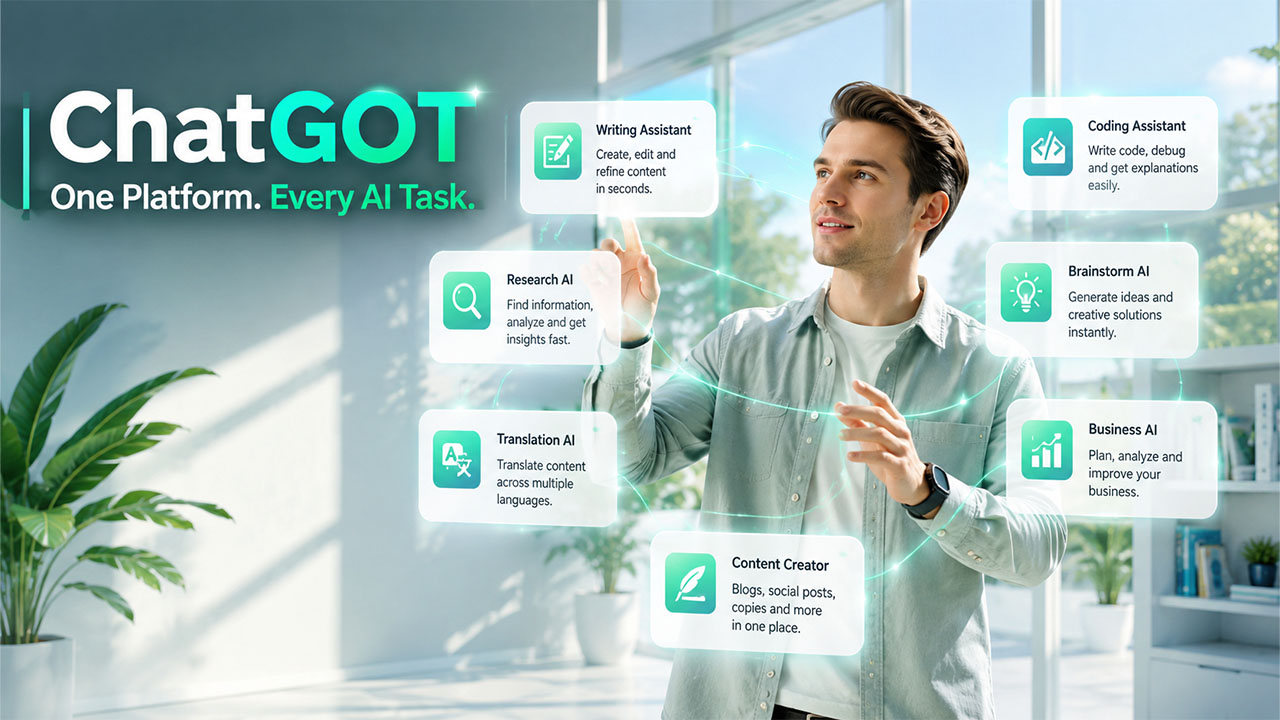
ChatGOT enables users to easily access multiple artificial intelligence assistants through a single interface, instead of switching between different AI applications for writing, coding, brainstorming, research, and learning. The platform offers a streamlined approach, saving valuable time, along with enhancing efficiency, and making advanced AI accessible to every user.
What is ChatGOT
ChatGOT is an artificial intelligence chatbot platform that is specifically designed to help users with a wide variety of tasks through natural conversations. The platform integrates multiple advanced AI models into one environment, enabling users to receive quick responses for writing, coding, translation, research, brainstorming, and other tasks.
ChatGOT allows users to interact with different AI personalities and models, unlike traditional chatbots that rely on a single AI model. This enhanced flexibility offers more accurate, creative, and context-aware responses for multiple industries, from writing blog posts to solving programming problems.
Key Features of ChatGOT
Some of the key features of ChatGOT are as follows:
- Multiple AI Models in a Single Platform: ChatGOT offers users access to various intelligent assistants from a single location, ensuring that gathering different perspectives, comparing responses, and selecting the best output is easy.
- User-Friendly Interface: ChatGOT is designed to offer enhanced simplicity to users. It features a clean layout, improving overall user experience.
- Content Writing Assistance: The platform can generate ideas, improve grammar, rewrite paragraphs, and create engaging content within seconds. It as as an easy-to-use and efficient AI writing assistant platform, helping students, professionals, and businesses with creative writing and brainstorming.
- Coding Support: Through the platform, developers can get assistance with writing code, debugging errors, explaining programming concepts, and reviewing code.
ChatGOT Alternatives and When to Use Another AI Tool
ChatGOT can handle a broad range of tasks from one workspace, but a general-purpose AI platform may not always be the best choice for every project. Some users may need a tool designed specifically for video generation, image creation, coding, research, or another specialized workflow.
Choose a Specialized Tool for Specialized Tasks
The best AI tool depends on the result you are trying to produce. A general chatbot can be useful for brainstorming, writing, research, and everyday questions, while a dedicated platform may provide more specialized controls for a particular type of content.
For example, creators who are primarily focused on AI-generated images and videos may want to explore dedicated creative platforms such as Lensgo AI rather than relying entirely on a conversational AI tool.
Compare Features and Creative Control
When considering an alternative, look beyond the number of AI models available. Compare the features that directly affect your workflow, including generation quality, editing capabilities, customization, output formats, usage limits, and ease of use.
Consider Your Budget and Usage
Pricing can also influence which platform makes sense. Someone who only needs occasional AI assistance may prefer a general-purpose tool, while a professional creator or business may benefit from paying for specialized capabilities that are used regularly.
Don’t Choose a Tool Based Only on Popularity
A widely discussed AI platform is not necessarily the right option for every user. Consider the actual task, expected output, learning curve, available features, and how easily the tool fits into your existing workflow.
The goal is not to find one AI platform that does everything. It is to choose the tool that provides the right combination of capabilities, control, and value for the task at hand.
ChatGOT vs. Traditional AI Chatbots
Traditional AI chatbots often focus on a single model or a limited set of functions, while ChatGOT is designed to provide access to multiple AI models within one workspace. This gives users more flexibility when different tasks require different types of responses.
For example, one model may be better suited to creative writing, while another may provide stronger support for coding, research, or structured tasks. ChatGOT allows users to compare responses and choose an approach that fits their specific needs.
This multi-model setup can also reduce the need to switch between separate AI platforms. Instead of managing different accounts and interfaces, users can handle writing, brainstorming, research, and coding from a centralized environment. Users exploring other conversational AI platforms may also encounter questions such as Is Character AI Down, especially when relying on online AI services.
The main advantage is flexibility: users can select the AI capability that best matches the task rather than relying on one chatbot for everything.
How ChatGOT Can Fit Into a Creative Workflow
ChatGOT can be useful beyond simple question-and-answer conversations when it becomes part of a broader creative workflow. Users can start with an idea, use AI to organize their thoughts, refine the concept, and then turn the output into other forms of content.
For example, someone planning a video can use AI Storyboards to turn a rough concept into a visual sequence before moving into production. This type of workflow can reduce planning time and make creative projects easier to organize from the beginning.
The key advantage is not simply generating content, but using AI to move from an initial idea to a more structured and usable result.
For creators working on video projects, ChatGOT can also be used alongside specialized AI video tools. Platforms such as OpenAI Sora demonstrate how text-based ideas can be developed into visual content, while ChatGOT can help with planning, scripts, concepts, and other parts of the creative process. Using different AI tools for the tasks they handle best can create a more flexible production workflow.
Benefits of Using ChatGOT
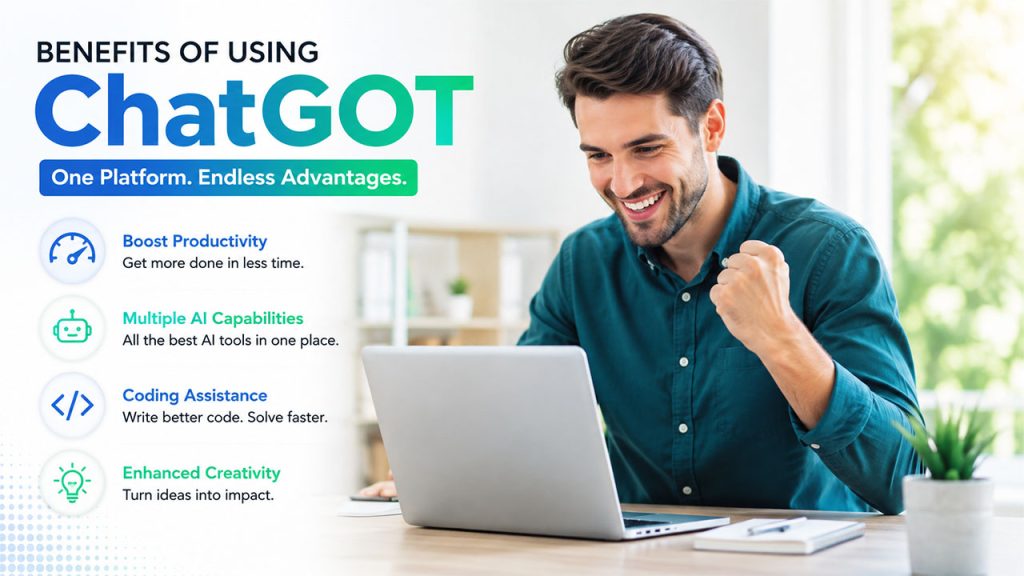
ChatGOT is designed to make the everyday tasks of users faster, easier, and more efficient. The platform combines advanced AI capabilities in a single platform, helping individuals and businesses improve productivity, creativity, and decision-making. Some of the major benefits of using ChatGOT are as follows:
- Increased Productivity
One of the major advantages of ChatGOT is that it helps users complete tasks in less time. The platform offers multiple AI assistance in a centralized location, allowing users to spend less time researching, writing, or solving problems manually.
- Access to Multiple AI Capabilities
The platform offers access to multiple AI models and chatbot capabilities in a single location. It enables users to easily compare answers, choose better solutions, experiment with different AI approaches, and handle different types of tasks from one platform.
- Coding Assistance for Developers
Through ChatGOT, developers can improve their programming workflow. The platform helps with writing code snippets, finding programming errors, explaining technical concepts, and improving code quality.
- Enhanced Creativity
ChatGOT offers users the ability to utilize AI for brainstorming to generate fresh ideas and suggestions. It can help users develop business ideas, marketing strategies, story concepts, brand names, and campaign ideas.
Getting Started with ChatGOT
ChatGOT is a simple-to-use platform that requires only a few steps to get started with. To get started with ChatGOT, users can follow the given steps:
- Step 1: Visit ChatGOT.io
The first step is visiting the official website of ChatGOT, i.e., ChatGOT.io. The platform is accessible from most of the modern browsers.
- Step 2: Create an Account
To access the full range of features, users need to sign up using an email address or another supported login method.
- Step 3: Log in to Dashboard
After registering, log in to the account to access the main dashboard. The clean and intuitive interface allows users to start conversations easily.
- Step 4: Choose an AI Model
Depending on the task, users can select the AI model that fits best with the need.
- Step 5: Enter Prompt
Type the question into the chat box. It is recommended to enter a specific prompt to get a more relevant and accurate response.
- Step 6: Review and Refine the Responses
Once the response is generated, review the output carefully. Users can ask for follow-up questions if additional details are required.
Who Can Use ChatGOT?

One of the major advantages of ChatGOT is its versatility. The platform is specifically designed to offer users assistance from various backgrounds, making it ideal for personal, educational, and professional use.
Some of the key users and their usage of ChatGOT are as follows:
Students
Students can use ChatGOT as a learning companion, improving their academic performance. The platform can explain topics in simple language, summarize study materials, generate practice questions, and assist with assignments.
Students can use ChatGOT for:
- Homework assistance
- Research
- Essay writing
- Study notes
- Exam preparation
- Language learning
Content Creators
Content creators like bloggers, copywriters, YouTubers, podcasters, and social media influencers can leverage the platform to streamline their content creation process. It helps improve the grammar, readability, and tone of the content, saving valuable time.
Content Creators can use ChatGOT for:
- Content ideas
- Scripts
- SEO articles
- Social posts
- Newsletters
Developers
Developers and programmers can users ChatGOT as a valuable coding assistant. It can generate code snippets, explain programming concepts, identify errors, suggest improvements, and assist with debugging.
Developers can use ChatGOT for:
- Code generation
- Debugging
- Documentation
- Learning resources
- Technical explanations
Business Professionals
Business professionals across multiple industries can leverage the enhanced capabilities of ChatGOT to increase productivity in their workplace. The platform can help draft professional emails, prepare reports, summarize meetings, create presentations, and organize business documents. For business professionals, ChatGOT can be considered an ideal AI in business operations, helping with business planning, customer communication, and product research.
Business Professionals can use ChatGOT for:
- Reports
- Emails
- Meeting summaries
- Presentations
- Business proposals
Limitations of ChatGOT
Although ChatGOT offers a wide range of AI-powered features, helping improve productivity and simplicity for everyday tasks, it also includes various limitations, which are crucial to understand. Some of the major limitations of ChatGOT are as follows:
- Responses May Not Always Be Accurate: ChatGOT can offer detailed and informative answers, but its responses are not always accurate. The AI may occasionally generate outdated, incomplete, or incorrect information.
- Depends on Prompts: The quality of responses largely depends on the prompts provided by the users. Vague or unclear instructions usually lead to generic or less relevant answers.
- May Require Human Editing: Although ChatGOT can generate articles, emails, reports, and other written content instantly, the output can require editing. Human oversight ensures that the final content meets the desired quality and purpose.
What to Consider Before Relying on ChatGOT
Using an AI tool effectively requires more than understanding what it can do. Users should also consider how much human review a task requires, especially when the output will be published, shared with customers, or used to make important decisions.
Before relying heavily on ChatGOT, consider:
- Output accuracy: Review important information rather than accepting every response automatically.
- Context quality: Clear instructions and relevant background information generally produce more useful results.
- Privacy: Avoid entering confidential business, financial, or personal information unless the platform’s data practices are appropriate for your needs.
- Creative control: AI can speed up ideation, but human judgment remains important for originality and final quality.
- Tool selection: Different AI platforms may perform better for specific creative tasks. For example, PixVerse AI may be more relevant when your workflow specifically involves AI-powered video creation.
A thoughtful approach helps users get the productivity benefits of AI while keeping control over accuracy, privacy, and the final result.
How to Choose the Right AI Model in ChatGOT
One of ChatGOT’s biggest advantages is the ability to work with different AI models from one platform. However, having several options does not automatically mean every model will produce the same type of result. Choosing the right AI Model for the task can make the interaction more useful and reduce the amount of editing needed afterward.
Match the Model to the Task
Start by identifying what you actually need from the AI. A model that works well for creative writing may not be the best choice for coding, structured analysis, or technical explanations. Matching the model to the task can help users get more relevant responses without repeatedly changing their prompts.
Consider Accuracy and Reasoning
For research, technical questions, or tasks that involve several steps, users may want to prioritize a model that handles detailed reasoning and complex instructions well. For simpler requests, a faster model may be more practical.
Test Different Responses
One useful advantage of a multi-model platform is the ability to compare outputs. Users can give similar instructions to different models, examine the results, and determine which approach works best for their particular workflow.
Review the Final Output
Model selection does not replace human judgment. Even when an AI model produces a detailed response, important information should still be checked before it is published, shared with customers, or used for an important decision.
Choosing an AI Model based on the task rather than using the same option for everything can make ChatGOT more efficient and practical for everyday work.
ChatGOT for Research and Information Gathering
Research often involves more than finding a quick answer. Users may need to understand a topic, organize scattered information, identify important questions, and turn their findings into something easier to use. ChatGOT can support several of these steps from a single conversational interface.
Start With a Specific Research Question
A clear question gives the AI a defined direction. Instead of asking for general information about a broad subject, explain exactly what you want to understand. You can also mention the audience, level of detail, time period, or format you need.
Organize Complex Information
ChatGOT can help break a broad subject into smaller topics and organize information into outlines, summaries, comparison points, or question-and-answer formats. This can make a large research task easier to approach without manually organizing everything from the beginning.
Explore Different Perspectives
When a topic has multiple viewpoints or possible approaches, asking for different perspectives can help users identify areas that deserve further investigation. The responses can be used as a starting point for additional research rather than treated as the final authority.
Turn Research Into Usable Content
After gathering information, users can ask ChatGOT to transform their notes into a structured outline, summary, briefing document, or draft. This can reduce the time spent moving information between separate stages of a project.
Verify Important Information
AI-generated research still requires verification. Facts, statistics, technical claims, dates, and other important information should be checked against reliable sources before being used in academic work, professional documents, published content, or business decisions.
Used this way, ChatGOT can function as a research assistant for organizing and developing ideas while leaving the final verification and judgment to the user.
ChatGOT for Workflow Automation and Repetitive Tasks
Some AI tasks become more valuable when they are part of a repeatable workflow rather than used as one-off requests. ChatGOT can assist with routine activities that involve drafting, organizing, summarizing, or transforming information.
Create Repeatable Content Workflows
Teams can establish a consistent process for tasks such as creating article outlines, preparing social media drafts, summarizing source material, or turning notes into structured documents. Reusing a defined workflow can reduce the time spent starting each task from scratch.
Handle First-Draft Tasks
Instead of expecting AI to produce a finished result immediately, users can use ChatGOT for the first stage of repetitive work. For example, an employee could provide meeting notes and request a structured summary, then review and edit the result before sharing it with the team.
Standardize Routine Requests
Businesses often perform similar tasks repeatedly. Creating clear instructions for these tasks can help maintain a consistent format across emails, reports, summaries, customer responses, or internal documents.
Combine AI With Human Review
Automation does not mean removing people from the workflow. A practical approach is to let ChatGOT handle repetitive preparation while a person checks the result, makes decisions, and approves the final output.
Know What Should Stay Manual
Not every task should be automated. Activities involving confidential information, sensitive decisions, complex judgment, or high-risk consequences may require additional controls and human involvement.
The biggest value of using ChatGOT in repetitive workflows is not simply producing more AI-generated content. It is reducing routine preparation work while allowing people to spend more time on tasks that require context, creativity, and decision-making.
Conclusion
ChatGOT brings multiple AI capabilities into a single workspace, giving users a convenient way to handle tasks such as content creation, coding, research, brainstorming, and everyday productivity. Its multi-model approach can reduce the need to switch between different AI tools, while its simple interface makes it accessible to students, creators, developers, and business professionals.
However, getting useful results from ChatGOT still depends on providing clear instructions and reviewing the generated output. AI responses may require editing, fact-checking, or additional refinement before they are used for important work. Privacy and the type of task should also be considered when deciding what information to share with an AI platform.
Overall, ChatGOT can be a practical addition to an AI-assisted workflow when used as a support tool rather than a complete replacement for human judgment. Its value ultimately depends on how effectively users choose the right AI capability, provide the necessary context, and evaluate the results before putting them to use.
Frequently Asked Questions :
How does ChatGOT work?
ChatGOT generates responses for writing, coding, research, learning, and other productivity tasks, based on the user’s requests. It offers interaction with different AI models through natural language prompts.
Is ChatGOT free to use?
Yes, ChatGOT offers both free and premium plans. Various features, AI models, and usage limits depend on the plan selected by the user.
Can ChatGOT help create SEO content?
Yes, ChatGOT can help in generating SEO-friendly content, such as blog posts, product descriptions, landing page content, meta titles, meta descriptions, and social media copy, among others.
Is ChatGOT useful for businesses?
Yes, businesses can use ChatGOT for various purposes, such as drafting emails, creating reports, preparing presentations, brainstorming ideas, and improving overall workplace productivity.