Higgsfield AI is a popular name among marketers, creators, and filmmakers whose daily work involves generative media. Instead of depending on a single platform, this platform combines videos, audios, and images creation into a single workspace. Its emphasis on cinematic camera control gives it a different position among the text-to-video platforms.
In this blog, let us find out what does the tool offers, how its models as well as studios work, for whom they are created, and what you need to consider before utilizing it for professional production of content.
What Is Higgsfield AI?
Higgsfield is defined as an AI-native creative platform for creating videos, images, and voice content images from reference material or text prompt. As per the official website, users can also upscale and edit media, automate creative workflows with the help of an AI agent, and work on both mobile and web.
The company has positioned itself as a generative video platform created for professional brands, creators, agencies, and marketing teams that create high-fidelity videos at a great scale. It creates its own tools and models, and it incorporates third-party models from providers like Google, OpenAI, Kuaishou, and MiniMax into one workflow.
Quick snapshot:
- Major capabilities: Video, image, and voice creation, along with editing and upscaling.
- Access Points: mobile, web, MCP integration, and API.
- Approach: in-house platforms integrated with third-party models in a single workspace.
The tool first became popular for its camera movement presets before becoming a complete creative suit. Nowadays, Higgsfield AI has become a bigger studio for visual production, with separate areas for video work, image work, effects, audio, editing, and agent-based automation.
What Are the Main Features of the Platform?
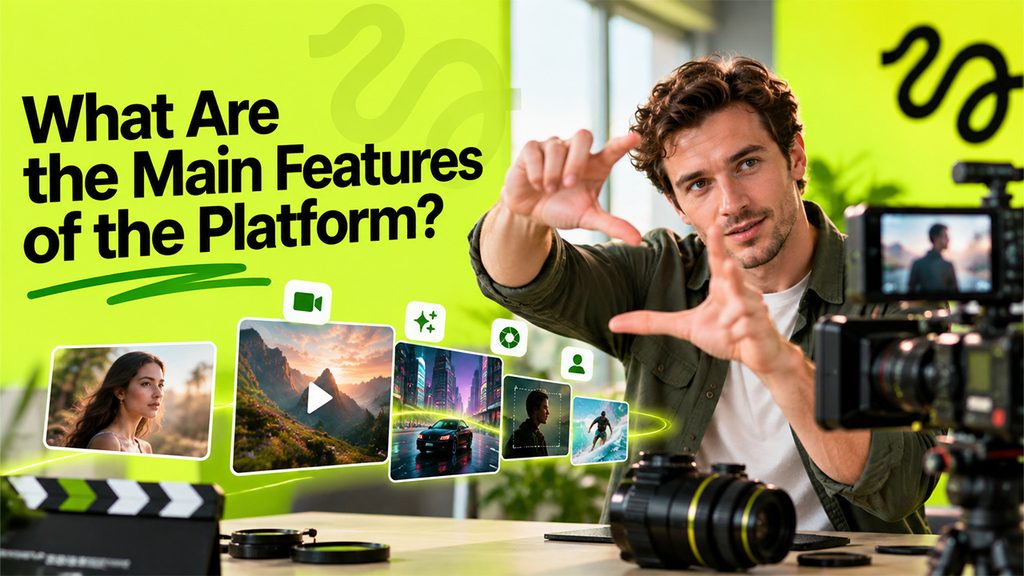
The platform assorts its tools in the form of effects, studios, and model options, so users can choose workflow that aligns with the project.
- Cinema Studio: This is the main workspace for AI filmmaking on Higgsfield AI. As per the official About Us page, it involves color grading, cinematic parameters, and a huge library of virtual camera lenses. Higgsfield considers it an interface with optics, cameras, and focal lengths, hand-picked by a former director of photography and created on interchangeable video models.
- In-house Models: Soul 2.0 manages photorealistic images for editorial and fashion use, Soul Cinema targets images with cinematic grade, Higgsfield DOP creates cinematic videos, and Keyframes provides support to AI storyboards.
- Character Consistency: Soul ID is built to make sure that characters remains consistent across different generations.
- Third-party Models: The Higgsfield AI homepage shows Nano Banana Pro for images and Seedance 2.5 for videos. In the video page, tools like Veo, Sora, Kling, and Wan are listed among the different options. Users can change between models and compare outputs in a single workspace.
- Reference-driven Generation: On the platform, users can reference images to guide subject, style, or composition, and they can upload available footage to edit it. First as well as last frame reference aid fixing the start and end point of a clip.
- Genjutsu and Effects: Genjutsu moves motion into new scenes or modifies particular details while the rest stays filmed. Effects provide viral video presets.
- MCP, API, and Supercomputer: The Supercomputer is offered as a superagent for the complete creative stack, and MCP and API options enable programmatic access.
- Community and Academy: Users can go through public projects in the community section to find the assets and prompts behind every result, and there is also an Academy section for guided learning.
A common project on Higgsfield AI follows a brief sequence, as per the official video page:
- Choose a model that is suitable for the shot.
- Add reference images or write a text prompt.
- Establish the frames, then create and compare results.
If you are looking for a video generator that exists inside a broader AI workspace can also go through AI Video service on AISuites, which is listed along with avatar, chat, and language tools.
Who Can Utilize Higgsfield AI?
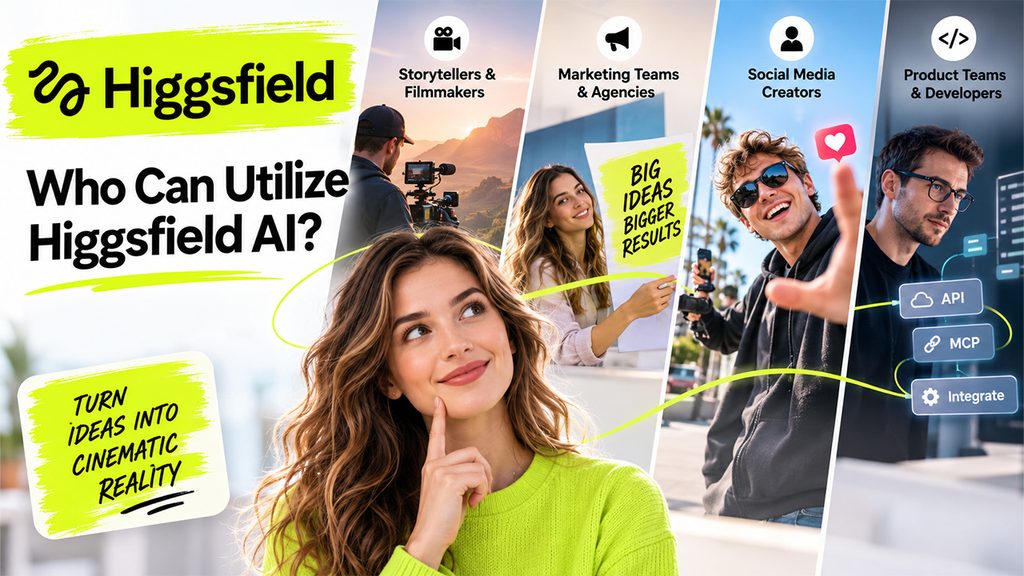
The platform helps distinct types of users, allowing them to use different types of models and studios as per their need:
- Storytellers and Filmmakers: There is a storyboard and pre-production, where agencies and directors can visualize concepts before committing to production.
- Marketing Teams and Agencies: The site advocates for a creative experimentation, including quickly testing numerous directions, and it involves a Marketing Studio for commercial work.
- Social Media Creators: Effects presets ensure a ready-to-use looks for video clips, and the community section provides great examples to recreate.
- Product Teams and Develops: MCP and API access ensure integration support with other agent workflows and tools.
Teams that focus on visual campaigns with Higgsfield AI typically require written assets as well. The AI Content service on AISuites provides support to generation of content, while the AI Image service is another great option for campaign images.
Points You Need to Consider Before You Begin
No platform suits each project, so a few checks aid in setting the right expectations:
- Independent review: The in-house video generator is not up to the mark and has garnered around 3.7/10 average ratings, citing weak motion quality and temporal consistent. The core value of Higgsfield AI exists in different models that it incorporates instead of a single generator. Since the model lineup has modified since then, the existing results may change, so a small test project is a great starting point.
- Learning Curve: The web interface also looks to be overwhelming at first, but as you get used to it, it becomes user-friendly.
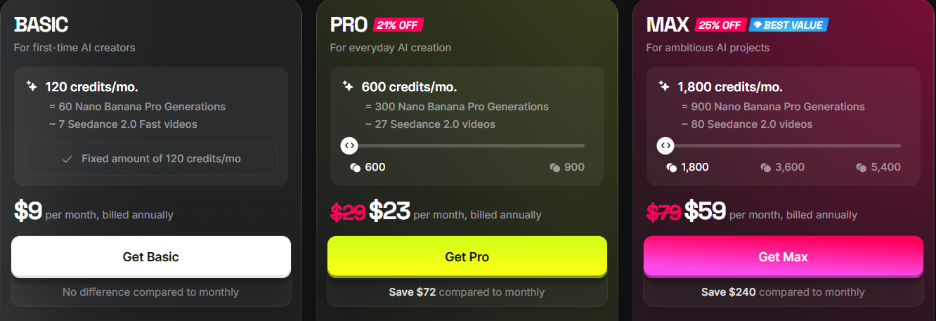
- Plans and Credits: Credits, pricing, discounts, and generation limits can vary from time-to-time and are decided by the platform. You can go through the official pricing page to understand the current plan (see the screenshot below).
- Quality Checks: AI-created images and videos may contain a few flags in hands, faces, continuity, or text, so every output must be reviewed by a human before publication.
- Usage Rights: Teams creating commercial content must read the terms of use for details on permitted use and ownership.
alternatives of Higgsfield AI for video generation? Check out our guide on the Best AI Video Generators in 2026.
Conclusion
Higgsfield AI integrates video, image, and voice generation with cinematic controls and a broad range of third-party and in-house models. Its effects, studios, and agent options make it relevant for marketers, filmmakers, and creators who need multiple workflows on a single platform. Unlike visual-focused tools, platforms such as Janitor AI are centered more on interactive character conversations and roleplay, making them useful for a different type of AI experience.
At the same time, independent testing of its in-house video generator shows that results can vary, so careful testing and reviewing third-party feedback are important before committing to a paid plan. A small pilot project, a clear brief, and a review of the available plans are sensible steps before moving to larger-scale content production. As you continue building a broader AI toolkit, exploring more blogs and insights on AISuites can help you make a more informed decision.
Frequently Asked Questions
What is the use of Higgsfield AI?
It is used to generate videos, images, and voice content from reference material or text prompts, and to upscale and edit media.
Is Higgsfield AI just a video generator?
No. Along with video, the platform encompasses voice content, image generation, AI agent options, and upscaling for automating creative workflows.
Which models can you use on the platform?
Higgsfield provides its own models, like Soul Cinema, Soul 2.0, and Higgsfield DOP. It also mentions a few third-party models such as Veo, Sora, Wan, Kling, and Seedance.
Can you upload existing footage or reference images?
Yes. Users have the option to upload reference images to guide subject, style, or composition, and they can upload current footage to edit it.
Where can users check the current pricing tiers?
Generation and pricing limits can change by feature and plan, so check the official pricing page on the Higgsfield.ai to confirm present terms.