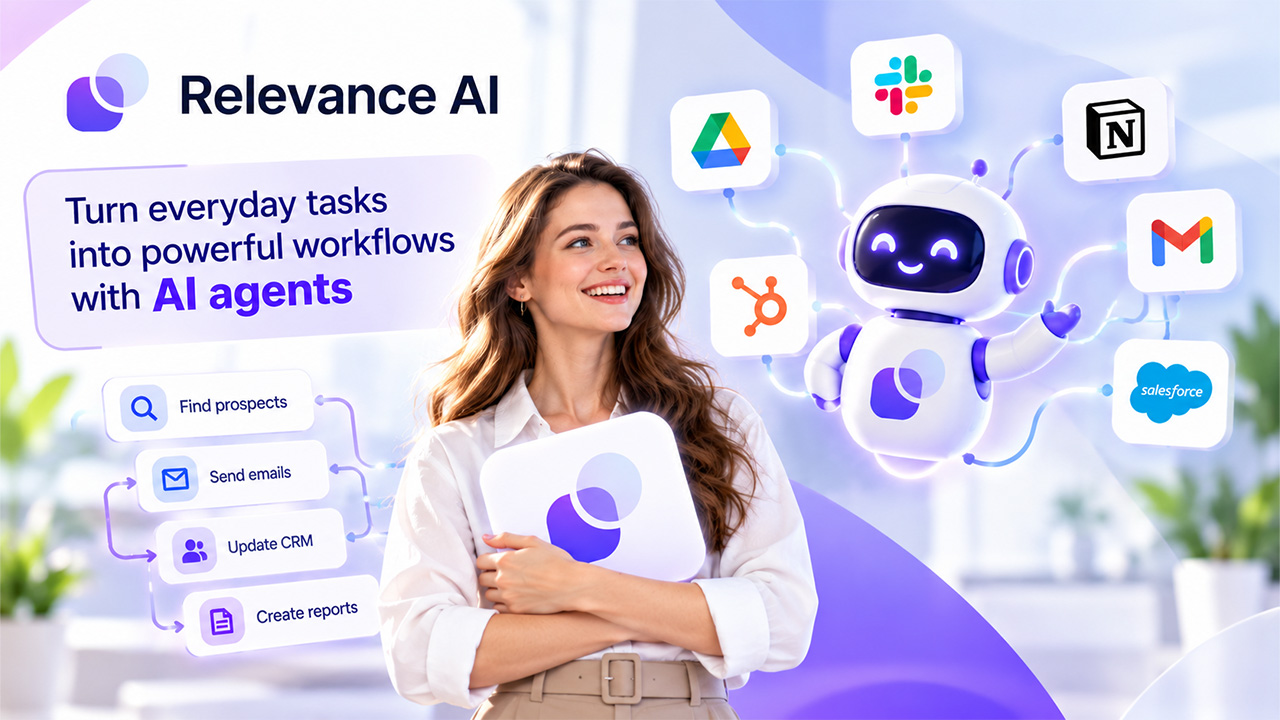
With the help of artificial intelligence, companies automate repetitive activities and optimize their daily operations. However, companies need to know how to make their AI models work with existing tools and processes. Relevance AI enables organizations to create AI agents that automate tasks and perform work with the help of integrated apps. The solution can be used in many areas, including marketing, sales, customer service, and operational activities. The platform is equipped with tools for agent creation and building connections between various systems. After all, companies need to know the features, pricing, advantages, and applications of the software to confirm compatibility with their needs
What Is Relevance AI?
Relevance AI is described as a service to develop and run AI agents, which are software programs capable of executing commands, using various tools, and performing a series of operations. Rather than utilizing the chatbot for making inquiries only, teams can set their agents to perform actions, for example, conduct prospect research, write reports, update customer information, or prepare messaging for outreach.
The platform comprises a no-code builder for the specific tool, various sources of knowledge, integrations, and the ability to connect agents into a working force. Users may create an agent based on a description, modify the marketplace template, or create a workflow manually. Time for settings varies depending on the job to be done, the applications used, and the required level of flexibility.
Highlights of Relevance AI

Create, automate, integrate, and monitor with a platform to create repeatable business processes. Give thought to these features and use the tool for your daily work:
- Building Agents Without Code
Users can define an agent’s role, use Invent to assist in designing the agent, modify an existing marketplace agent, or start from scratch. More complicated workflows will perhaps still require technical expertise. But if you want to create a website, then Flexbe AI is the best option out there.
- Tools, Knowledge, and Integrations
Agents can search the web, send emails, log into your CRM, or call an API. They can connect to one or many sources like SharePoint, Google Drive, Notion, or even your favorite websites. The platform says it has over 2,000 integrations, but the setup on each app can vary.
- Multi-agent Workforces
Specialist agents can be connected to a workflow. So one agent could dig into a prospect, another can vet this prospect, and a third one can provide a draft for further processing. Knowing who to pass and how to handle failures is crucial.
- Scheduling, Approvals and Monitoring
Depending on your tier, paid plans include scheduling, activity tracking, escalations, and collaboration tools. Test your agents with sample tasks before providing them access to live data.
Relevance AI Pricing and Offers
The official pricing page has Free, Pro, Team and Enterprise plans. Prices in the table are published prices based on monthly billing. For annual billing and plan specifics, see the official pricing page.
| Plan | Published Price | Main Allowance |
| Free | $0/month | 200 Actions/month; one user and one project |
| Pro | $29/month | 2,500 Actions/month; two build users |
| Team | $349/month | 7,000 Actions/month; five build users and 45 end users |
| Enterprise | Custom | Custom usage, users, projects, and controls |
Who Should Actually Use Relevance AI?
This platform is best for teams that perform repetitive tasks across applications. It’s less appropriate for flows involving continual judgment, ambiguous rules, or sensitive data.
Sales and Business Development Teams
Sales teams can identify prospects, elaborate lead information, compose outreach and change CRM data. Submitters should authenticate content and get message approval before going live.
Marketing and Content Teams
Learn a few techniques for researching, content repurposing, campaign organization, and social post writing to enhance your workflow. Validate your brand, review information and editing, and include new angles on different items to deliver, so editors are able to begin.
Operations and Customer Support
Operations teams can automate the processing of data and reports. Support teams can tag a request or even use source-approved sources to start an author response. Complaints and sensitive cases can be escalated to individuals.
Technical and Enterprise Teams
Construct APIs, integrate tools, and establish agents throughout teams and also divisions. For instance, a large organization might build an agent to check compliance documents throughout its divisions. Safety teams need to evaluate permissions, handling, and also governance before release.
A good place to start is a process that has obvious inputs and a straightforward means to validate the output. For example, enter approved documents or draft a report. Don’t start out with an unsupervised process that can purchase, send a message to an outside party, or change a core system. Grow only once the team has tested for reliability.
What Are the Benefits of Relevance AI?

It’s a significant advantage when a human can take some (simple) work away from the agent by recreating it as a workflow. Outcomes are sensitive to process quality, agent performance, and the degree of human validation needed.
- Less Repetitive Work
Agents might take care of the research, the formatting, the data entry, and transfer of information, freeing up your employees to dedicate their time for decision-making and relationship-building. Do not merely estimate productivity, but quantify time saved.
- Connected Workflows
Integrations avoid copying between apps and create consistency in processes. They still have permissions and testing issues, as a failed connection will stop work.
- Flexible Automation
Teams can begin with one task, then grow, select models, build tools and connect agents. Roadmaps and documentation support keeping the workflows manageable.
- Better Visibility and Control
Activity logs & escalations give teams insight into agent work, but do not ensure perfect output. Limit access, handle edge cases, safeguard data, and hold actions with high impact for approval.
In addition, teams need to have someone take ownership of every agent. They will be able to go over errors, update instructions if processes get altered and hold an agent when necessary. Defining that will keep multiple tiny automations from piling up.
Conclusion
Relevance AI enables companies to create AI agents, integrate apps, and automate workflows with less manual effort. For startups exploring the Best AI Agents for Startups in 2026, the platform offers a flexible way to handle repetitive business processes and improve team productivity. Its no-code features are easy to use for everyday tasks, while integrations and agent teams support more advanced workflows. However, for complex automation, you should consider paid plans, Actions, and Vendor Credits to understand the potential costs. Before rolling out the platform, start with a single repetitive task and define your expected results. Manually review the outputs to check whether they are accurate, fast, and reliable. A pilot project can help your team determine whether Relevance AI saves time, meets business needs, and can be deployed across your organization.
FAQs :
Is Relevance AI free?
Yes. The Free plan is at $0/month and comes with a limited monthly Action limit and basic access to agent creation features. Please see the current pricing page for what those limits are.
Does Relevance AI require coding?
No. Users can set up agents simply using descriptions and visual tools. If they want to set up custom APIs or use it for more advanced workflows, then some technical knowledge may be necessary.
Can Relevance AI integrate with business applications?
Yes. It can be used to enable integrations with your workplace, CRM, marketing, and other apps. How you go about the setup and the permissions you grant will vary depending on the app.
Can small businesses use Relevance AI?
It will fit smaller companies that have repetitive processes to automate and can supervise the agents’ output. Begin with a limited scope of workflow and analyze the expenses, precision, and security.