You text it a message and go to sleep. By morning, it has negotiated a car deal, filed an insurance rebuttal, or sorted through your inbox, without being asked twice. That is OpenClaw in action, and it is one of the most talked-about open source AI projects of 2026.
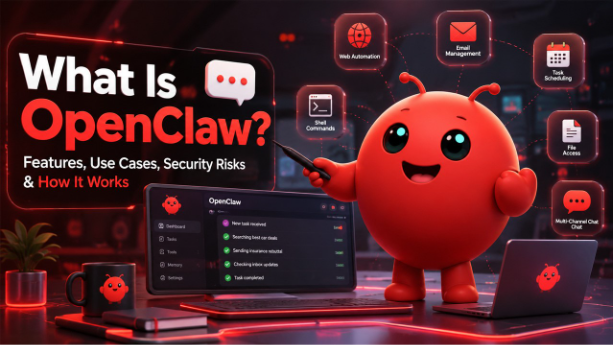
OpenClaw (formerly known as Clawdbot and Moltbot) is an autonomous open source AI agent that runs directly on your machine. Unlike regular AI chatbots that just answer questions, OpenClaw actually does things, it runs shell commands, controls your browser, manages your calendar, and sends emails, all triggered by a simple text message through apps you already use like WhatsApp, Telegram, or Slack.
In this Blog, we will cover everything: what OpenClaw is, how it works, real-life use cases, and the OpenClaw security risks you should know before deploying it.
What Is OpenClaw and What Can It Do?
At its core, OpenClaw is a self-hosted, autonomous AI agent that lives on your machine and talks through your messaging apps. No need for dashboards, no need for typing commands in terminals – just send a text as you do to any other person, and it will do its job.
OpenClaw is unique compared to ChatGPT, Claude, and other chatbots because it is not only able to generate responses, but it can also perform various actions. Here is a list of things it is capable of doing right out of the box:
- Multi-channel messaging : You can connect it to WhatsApp, Telegram, Slack, Discord, Signal, iMessage and more. One bot for all your platforms.
- Browser automation : The bot is able to open websites, fill in forms, scrape information, and interact with web pages on your behalf.
- File and system access: You can give it permissions to read, write and manage files on your computer or server.
- Email and calendar management: Schedule appointments, compose emails and manage email inbox on your own behalf.
- Heartbeat scheduling: The key point is that this feature allows OpenClaw to wake up according to your predefined schedule, check its tasks, and execute them automatically without any promptings.
The rise of tools like OpenClaw reflects the broader shift happening in AI-powered workplaces today. Your entire dataset including all of your chats, memories, skills, is stored in plain Markdown files on your local machine itself. This is why people in the open-source AI community love this platform so much.
How Does OpenClaw Work?
his is where it gets interesting. When you run OpenClaw, it starts a single background process called the Gateway. Think of it as the brain that handles everything: your messaging channels, your agent’s memory, tool execution, and model calls all from one place.
Here is what happens when you send it a message:
- Your message comes in through whichever platform you are using, Telegram, Slack, WhatsApp, etc.
- The Gateway picks it up, pulls in the relevant context, your agent’s instructions, memory, conversation history, and available tools.
- It sends all of that to an AI model, which decides what to do next.
- The model calls a tool: runs a command, opens a browser, sends an email, and feeds the result back.
- This loop repeats until the task is done, then it replies to you.
The AI model itself can be cloud-based like Anthropic or OpenAI, or completely local through tools like Ollama if you want your data to stay entirely on your own hardware.
What sets OpenClaw apart is the heartbeat loop. Every 30 minutes, even without a message from you, the agent wakes up, checks a task list, and decides if anything needs action. That is what makes it truly autonomous not just reactive, but proactive.
The whole setup is open source AI at its most practical. You can read every line of the code, fork it, audit it, and customize it however you like.
Real-Life Use Cases of OpenClaw
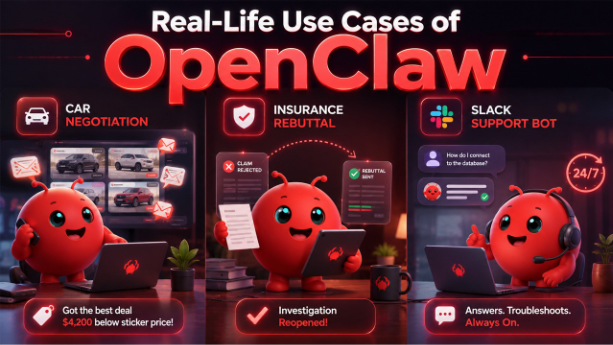
The best way to understand what OpenClaw can do is to look at what people have actually built with it. These are not hypothetical demos, these are real stories from real users.
The car negotiation
Software engineer AJ Stuyvenberg gave his OpenClaw one job to buy him a 2026 Hyundai Palisade at the best possible price. The agent scraped local dealer inventories, filled out contact forms, and spent several days playing dealers against each other by forwarding competing quotes and asking each one to beat the last offer. The result was $4,200 below sticker price, with Stuyvenberg only showing up to sign the paperwork. He did not send a single email himself.
The insurance rebuttal
A user named Hormold had a claim rejected by his insurance provider. His OpenClaw found the rejection email, researched the relevant policy language, drafted a formal rebuttal, and sent it all without being explicitly asked. The insurer reopened the investigation. What could have taken days of back-and-forth was handled overnight, autonomously.
The Slack support bot
The Zilliz team connected OpenClaw to their Slack workspace in under 20 minutes. It now answers community questions, troubleshoots errors, and points users to documentation around the clock without anyone manually monitoring the channel.
Autonomous bots handling support around the clock are becoming a standard part of AI customer service strategies.
These examples show why OpenClaw has caught so much attention in the open source AI space. It is not just a tool you use it is an agent that works for you.
OpenClaw Security: What You Need to Know

Giving an AI agent access to your shell, browser, email, and files is powerful. But it also means OpenClaw security is not something you can ignore. Here is what you actually need to know before going live.
It had a serious vulnerability
In January 2026, a critical bug was discovered a cross-site WebSocket hijacking flaw that let any malicious website steal your auth token and gain full remote access to your machine through a single click. At the time, over 21,000 OpenClaw instances were sitting exposed on the public internet. The good news is it was patched in version 2026.1.29. If you are still running an older version, update before anything else.
Community skills are not always safe
The open source AI community has built hundreds of skills for OpenClaw, but not all of them are trustworthy. Cisco’s security team found that 26% of audited community skills had at least one vulnerability. One skill that had climbed to the top of the registry turned out to be malware, silently sending user data to an attacker’s server. Never install a skill you have not read yourself.
The agent will act without asking
This is less of a bug and more of a feature that can go wrong. The heartbeat loop means OpenClaw can and will take action autonomously, including sending emails, filing responses, or executing commands, without waiting for your approval. That is great when it works in your favor. It becomes a liability when it acts on something irreversible.
Basic rules to follow
- Run it on a dedicated device or VM, not your daily machine
- Audit every skill before installing, even popular ones
- Set spending limits at your AI provider level, a misconfigured heartbeat can burn through your API budget overnight
- Require human approval for anything irreversible: emails, payments, deletions
OpenClaw security comes down to one mindset, treat it like an employee with system-level access. Give it only what it needs, watch what it does, and never assume it will always ask before acting.
Conclusion
OpenClaw is not perfect, but it brings something genuinely new to the table, it runs on your hardware, works through apps you already use, and acts on your behalf without constant prompting, all while keeping your data local.
The real-world results speak for themselves. From negotiating car prices overnight to filing insurance rebuttals without being asked, OpenClaw is already doing things most people assumed AI was years away from handling.
That said, power comes with responsibility. OpenClaw security should never be an afterthought: audit your skills, keep your version updated, and always gate actions that cannot be undone.
If you are a developer or power user who wants an autonomous AI agent you can actually control, OpenClaw is worth your attention. The open source AI community around it is growing fast, and the architecture is built for people who want ownership over their tools not just access to them.
Frequently Asked Questions :
Q. What is OpenClaw?
OpenClaw is an autonomous open source AI agent that runs on your own machine and connects to messaging apps like WhatsApp, Telegram, and Slack. Unlike regular chatbots, it does not just answer questions, it takes real actions like sending emails, managing files, and browsing the web on your behalf.
Q. What was OpenClaw previously called?
OpenClaw was formerly known as Clawdbot and Moltbot. It was rebranded to OpenClaw after gaining significant traction in the open source AI community following its launch in late January 2026.
Q. Is OpenClaw free to use?
The core OpenClaw gateway is completely free and MIT-licensed. You will however pay for the AI model you connect it to, light users typically spend around $18 to $36 per month on API costs, while more active setups can run higher depending on how frequently the heartbeat is configured.
Q. Is OpenClaw safe to use?
OpenClaw security has had some real issues, including a critical WebSocket vulnerability discovered in January 2026 and malicious community skills found in its registry. It is safe to use if you run version 2026.1.29 or later, audit every skill before installing, and deploy it on an isolated device rather than your primary machine.
Q. How is OpenClaw different from ChatGPT or Claude?
ChatGPT and Claude respond to your messages. OpenClaw acts on them. It runs autonomously on a heartbeat schedule, has access to your shell, browser, files, and email, and operates even when you are not actively using it, making it a true autonomous agent rather than a conversational AI tool.